Global Template Library
Scope Health provides a comprehensive library of professionally-designed clinical documentation templates, ready to use across every medical specialty. You can browse the full library from the Discover section of the Templates page.
Thousands of Ready-to-Use Templates
The Global Template Library includes templates for:
- Primary Care
- Internal Medicine
- Family Medicine
- Pediatrics
- Psychiatry
- Psychology
- Dermatology
- Cardiology
- Neurology
- Orthopedics
- Physical Therapy
- And many more...
Professionally Structured
Each template in the library is carefully structured to meet documentation standards:
- Designed based on clinical practice guidelines from professional organizations
- Includes appropriate sections for each document type (SOAP notes, H&Ps, procedure notes, referral letters, etc.)
- Formatted for compliance with common documentation requirements
- Optimized to work with Scope's AI note generation
Browsing the Library
- Navigate to the Templates tab in the sidebar
- The Discover panel next to Your library shows the full template library, with a live preview of each template's structure
- Use the search bar at the top of the page to search your templates and the library at once
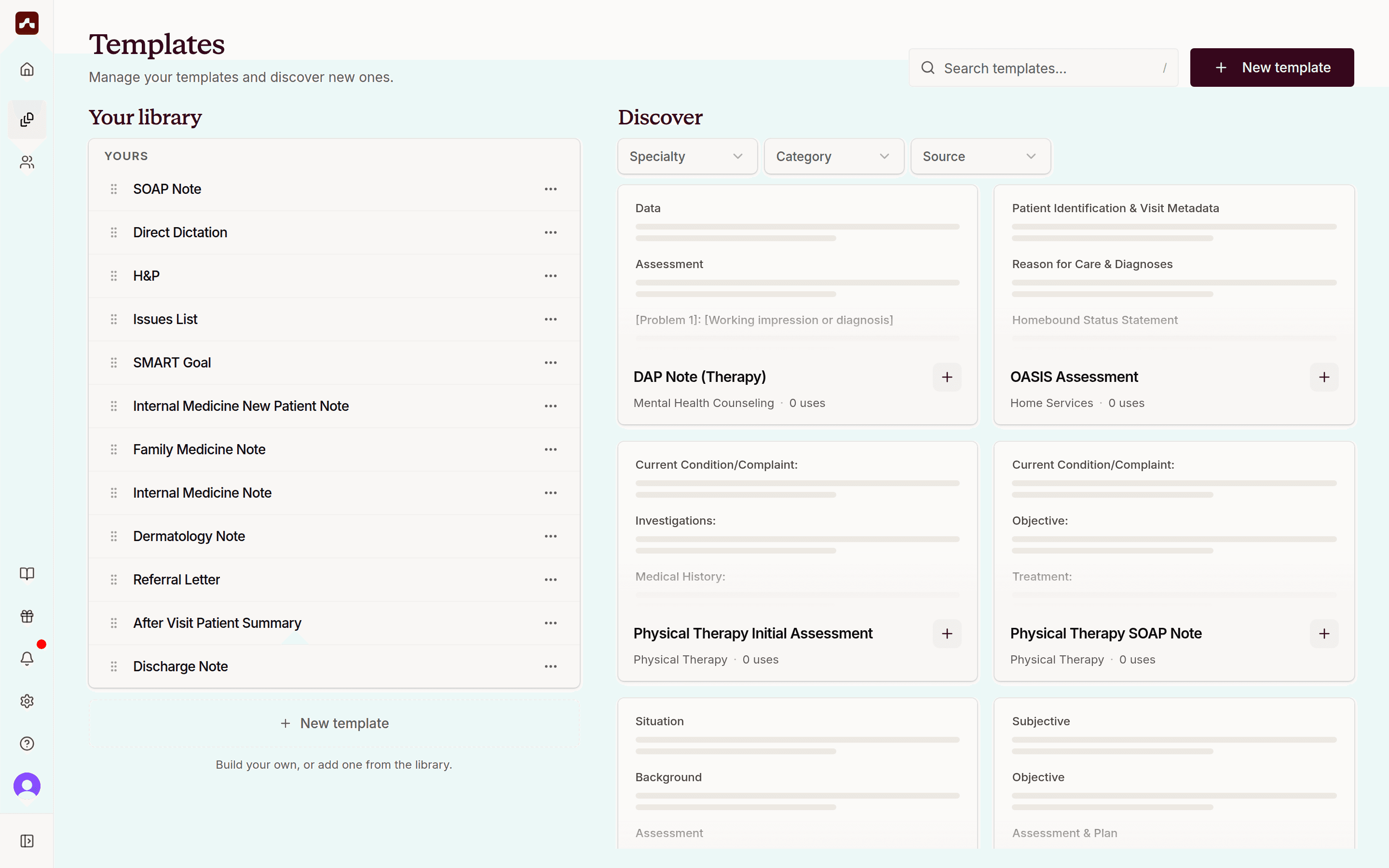 The Templates page with Your library and the Discover panel
Filtering Templates
Use the Specialty, Category, and Source filters at the top of the Discover panel to narrow the list — for example, to templates for your specialty, or to a specific document type like consultation notes or discharge summaries.
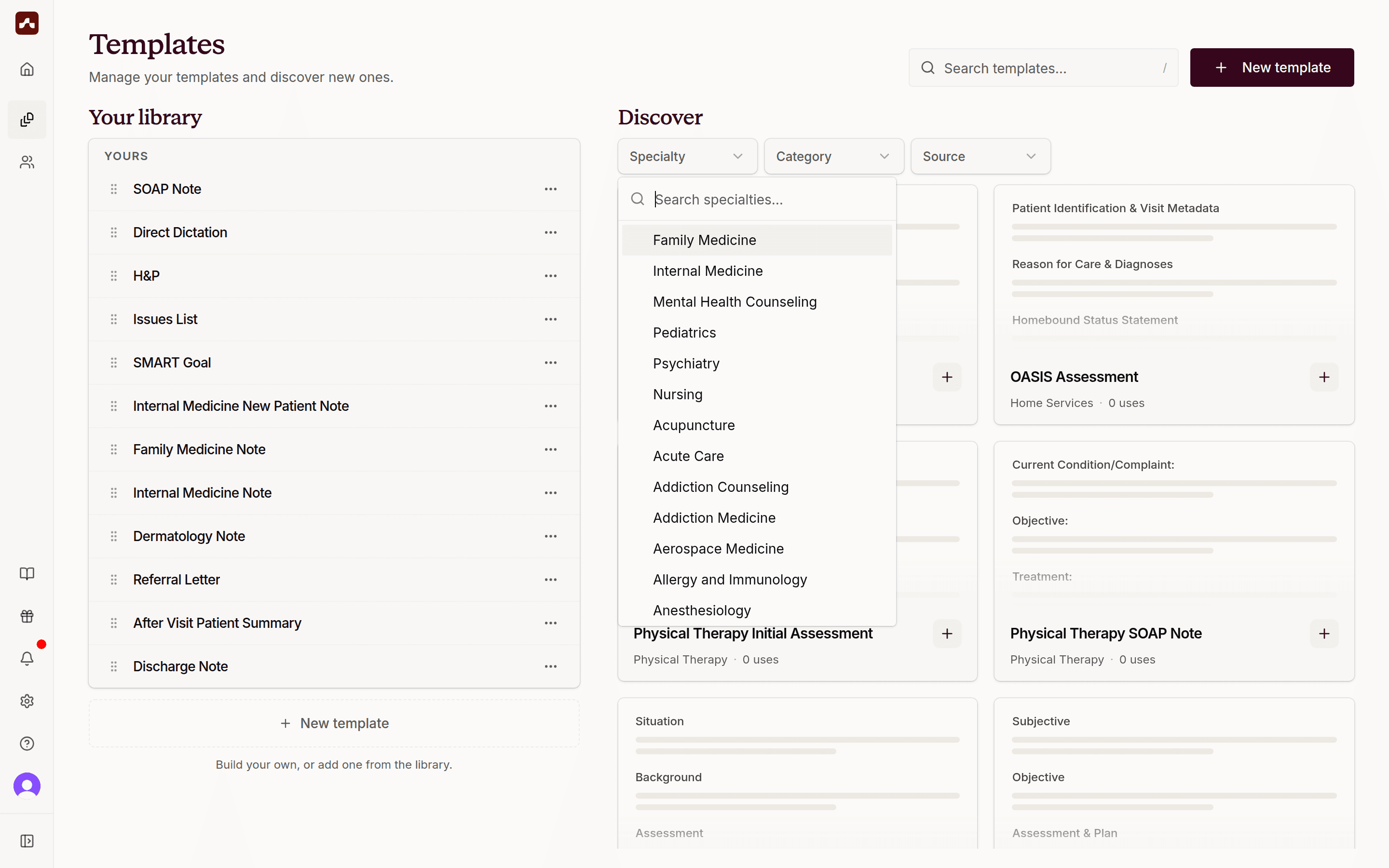 Filter the Discover panel by specialty, category, or source
Previewing a Template
Click any template card to open a full preview. You'll see the complete template structure along with its description, supported specialties, and author.
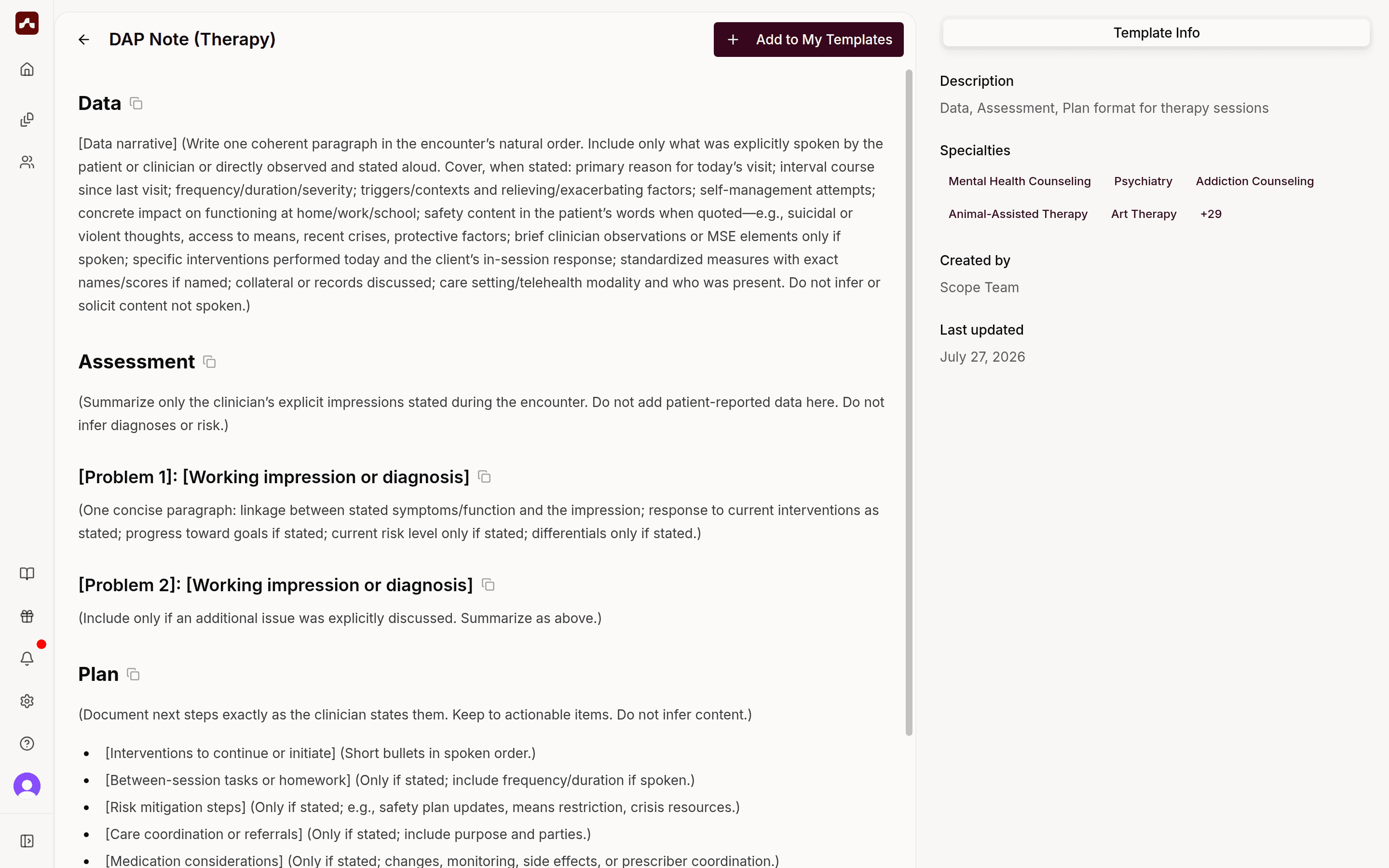 The template preview shows the full structure and template info
Adding Templates to Your Library
When you find a template you want to use:
- Click the + button on the template card (or Add to My Templates from the preview page)
- The template is copied to Your library
- You can now use it for visits and customize it as needed
Customizing Library Templates
Templates from the library are fully editable once added to your account:
- Adjust sections to match your documentation style
- Add or remove content based on your practice needs
- Rename templates for easier organization
- Your customizations are saved separately - the original library template remains unchanged
See Creating & Customizing Templates for details on the template editor.